
Language and text
Nexon's official site is Korean only and the store listing is English, while official gameplay frames show Korean interface text. No language-support list has been published, so treat an English client as unconfirmed.
Nexon's official site for this game is Korean. The Google Play listing is English. The interface in the official gameplay frames is Korean. Those three facts describe a launch that is region-limited and language-limited at the same time, and for an English-speaking player they decide whether day one is playable or just watchable.
The three surfaces, and what each is in
| Surface | Language | Evidence |
|---|---|---|
| Official site (temppal.nexon.com) | Korean only | Page title, countdown copy and pre-download blocks |
| Google Play listing | English | Full description, permissions, rating |
| App Store listing | Not verified in this review | Not checked |
| In-game interface | Korean | HUD text in official gameplay frames |
| Support | Korean | Store support email and Korean address in the listing |
| Language-support page | None exists | Not published |
The store listing's English does a lot of work: it is the only place where Nexon describes the game's systems in a language most readers here can use, and every page on this site that cites Nexon is quoting that listing. It is also worth being precise about what it does not say: it never claims an English client exists.
Options for an English player
- Install and play if your account is in one of the four regions. The client checks your region, not your language. A friend who reads Korean or a translation overlay is the difference between playing and guessing.
- Use the store listing as the manual. It contains the five system blocks (world, weapon classes, equipment, dimensions, challenges) in English, and it is the only official English source.
- Translate the interface, not the game. Screen-translation tools on a phone or an overlay on PC will read menus and quest text; they will not read combat timing.
- Read the Korean notice board through a translator. Patch notes and compensation posts appear there first, and English coverage lags by hours at best.
- Do not buy an account or a client in a region you do not belong to. The region page covers why the trade is bad.
The practical cost of a Korean interface
Reading speed is the hidden stat in an MMO: one player reads a menu in a second, another needs eight, and launch week is nothing but decisions.
| Task | Korean reader | Non-reader with translation |
|---|---|---|
| Accept and turn in quests | Instant | Two to five seconds per dialog |
| Read an item tooltip | Instant | Slow, and error-prone for numbers |
| Learn a boss mechanic | Once | Repeatedly, until the pattern is memorised |
| Change a setting | Instant | Screenshot, translate, then change |
| Follow a party call | Instant | Effectively not possible |
The last row is the reason group content is harder than solo content for a non-reader. Party calls are verbal and fast.
The gear plan in Korean menus
The gear systems have Korean names in the interface and English names on the store listing. Mismatches are the first confusion an English player meets:
| English (store listing) | What to look for in the interface |
|---|---|
| God Hand | A support slot on the character panel |
| Overgeared | A slot-option menu on an item |
| Overclock | A toggle or boost tied to gear level |
| Weapon Modification | A weapon-specific menu, not the general forge |
| Human-Demon War | A server-wide event entry |
Matching the two vocabularies is worth twenty minutes on day one, because every guide you read, including this one, uses the English names.
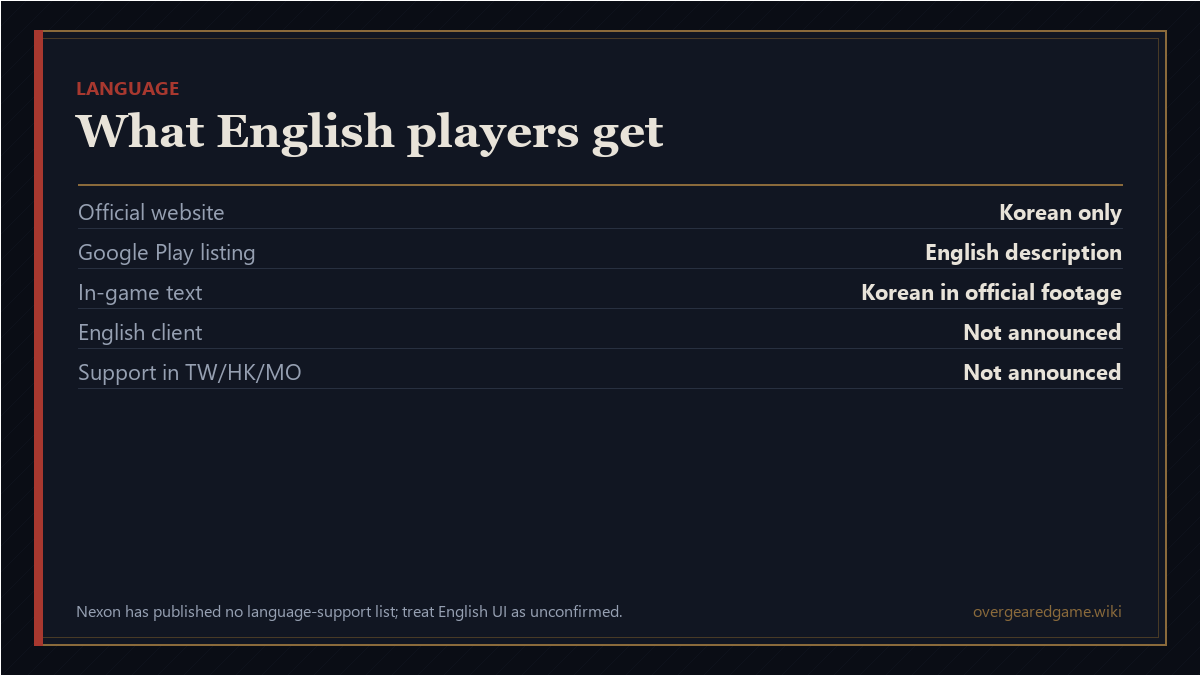
Four surfaces, three languages, zero published support lists as of November 24.
If an English client ships later
Localisation usually runs store listing, then client language option, then support. Until a language option appears in the settings menu, treat the client as Korean-only whatever a forum post claims.
The one-line summary
The game is playable from the four launch regions in Korean, documented in English on the store, and undecided everywhere else. A player who cannot read Korean can still play solo content; group content will be harder than it looks in the official frames.
Building a menu vocabulary in twenty minutes
You do not need Korean for solo content, but you do need to recognise menus by shape. Compare rather than translate.
- Open the store listing's English description on a second screen. It names the five systems in English.
- Open the character panel and photograph it. The gear slots are the grid with the most empty boxes.
- Open the item tooltip on your starting weapon and note where the numbers sit. Numbers are the same in any language.
- Find the enhancement menu by looking for a screen with a single item, a material count and a confirm button.
- Photograph the settings menu once: menu structure repeats, so one screenshot answers a dozen questions.
| Signal | What it usually is |
|---|---|
| A grid of empty squares | Equipment slots |
| A single item with a percentage | Enhancement chance or level |
| Two columns of numbers | Before and after comparison |
| A list with checkboxes | Settings or permissions |